

Home / Products / VeriLynx V60 Video Camera

VeriLynx V60 Video Camera

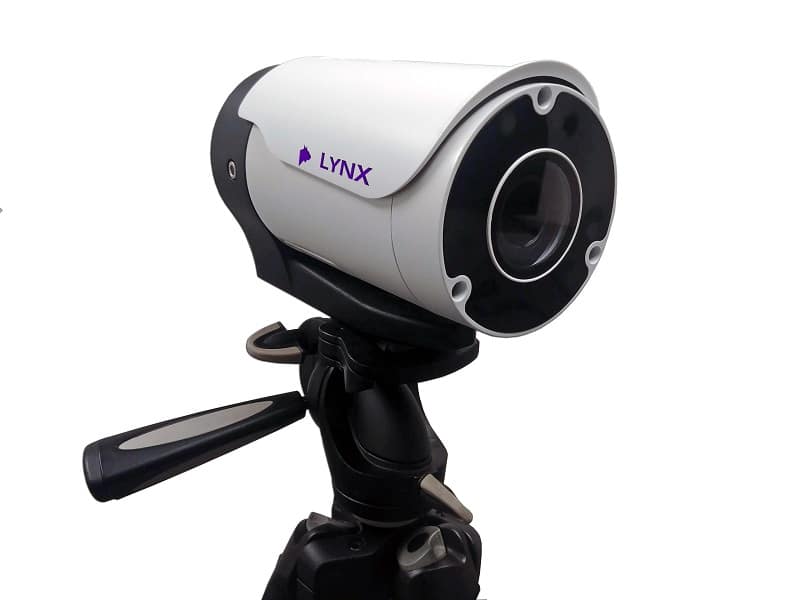
Under World Athletics Technical Rule 30.1.1, horizontal jump take-off failures are re-defined to include any breaking of the vertical plane of the take-off line. Rule 29.5 strongly encourages judges to use video or other technology to assist the decision process. VeriLynx cameras, along with special configuration of the FinishLynx software, can be used for this purpose. The VeriLynx V60 camera captures up to 1280 x 720 pixels at 60 fps. The camera includes an auto-iris motorized lens so the zoom and focus can be adjusted remotely within the FinishLynx software. It also has a sturdy housing that protects the lens and rear connections from moisture and damage. Set up the VeriLynx camera at your next field event and start capturing high-definition, time-stamped videos to verify each attempt.

FinishLynx software: version 12.00 and later includes the VeriLynx profile. This profile is customized to support the use of VeriLynx cameras for video review of field events, such as the verification of take-off fouls in the Long or Triple Jump events. Align the VeriLynx camera with the take-off board, load the field event start list, capture, verify, and timestamp every attempt. VeriLynx will save all images to disk in real-time (no image loss) and allow you to quickly review every attempt for every athlete, providing proof in case of a foul.

VeriLynx also has the option of exporting a JPEG of each attempt automatically when marking a frame, and keeping multiple VeriLynx image panes synchronized (time tracking) to view multiple angles.

  • Remotely adjust the camera’s Zoom and Focus within the FinishLynx software to optimize image quality
  • VeriLynx videos can be advanced and rewound frame-by-frame to ensure judges can find the frames showing the athletes’ attempts. Videos can also be reviewed in real time while the event: is still underway.
  • FinishLynx enables the standard EtherLynx camera features to be used with VeriLynx cameras, including zoom, automatic scrolling, gamma, brightness, and contrast adjustment.
  • VeriLynx video images are stored on the computer as individual images and can be printed directly from the FinishLynx software
  • VeriLynx videos can be manually cropped, viewed in forward or reverse, viewed at different speeds, exported to AVI format, and uploaded to the internet if desired.
  • VeriLynx video can be exported to .avi and: uploaded to YouTube, Facebook, or other popular services
  • FinishLynx 표준 설치 시 제공되는 사전 구성된 프로필을 통해 필드 종목을 위한 맞춤형 사용자 인터페이스를 제공합니다.
  • 필드 이벤트 일정 파일(fldlynx.sch)에서 필드 이벤트를 불러올 수 있는 기능
  • Ability to view a vertical line in alignment mode for VeriLynx cameras to facilitate camera alignment with the take-off board
  • Ability to automatically capture based on detected motion and review all: attempts from a flight into the same FinishLynx image
  • ACM 활성 영역을 이륙대의 수직 영역으로만 제한하도록 설정할 수 있는 기능
  • 대회 진행 중이나 종료 후 각 선수의 모든 시도를 시간별로 표시하거나 기록하여 신속하게 확인할 수 있는 기능
  • 결과 영역과 이미지 상에 라인 라벨을 사용하여 각 시도의 횟수를 표시하는 기능
  • 시도가 표시되거나 기록될 때 이미지를 (jpg)로 자동 내보낼 수 있는 기능
  • 여러 대의 카메라 영상 간에 시간 동기화 기능을 통해(한 대의 카메라 영상을 스크롤하면 다른 카메라 창도 해당 프레임으로 자동 갱신됨) 다양한 각도의 영상을 손쉽게 확인할 수 있으며, 전면 카메라를 사용하여 선수를 식별하는 옵션도 제공됩니다.

이제 마무리 작업을 한 단계 업그레이드할 준비가 되셨나요?