
EVF Upgrade for Vision Cameras
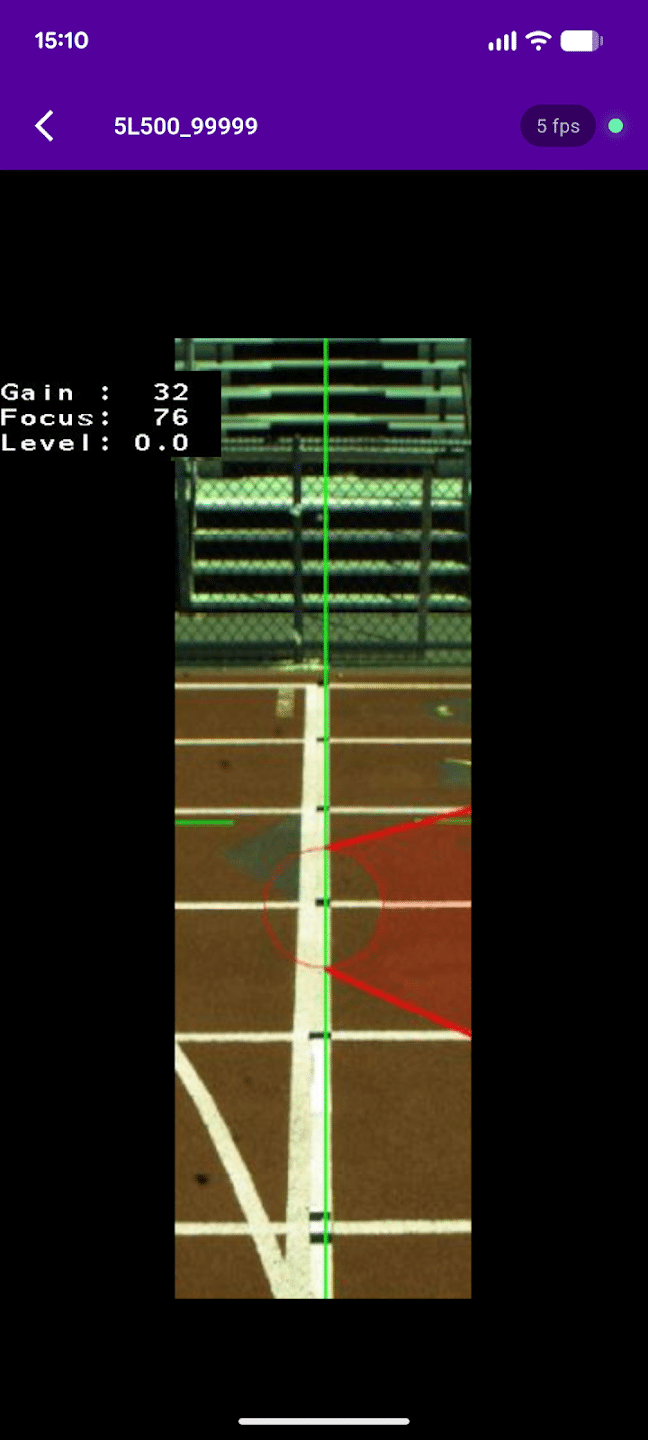
The EVF camera upgrade enables the Lynx ViewFinder app to connect to a Vision-Series camera for assisted manual alignment. The EVF upgrade unlocks the camera WiFi so it can display 1D and 2D camera alignment on an external video viewfinder display along with Gain, Level, and Focus information.
To enable video viewfinder capabilities on your Vision-Series camera, Combine this EVF upgrade with the New Lynx ViewFinder app:
Get it on the App Store – Coming Soon
Once the EVF camera upgrade is enabled and the camera is fitted with a compatible Wi-Fi dongle, simply connect a phone or tablet to the camera’s Wi-Fi to enjoy a video viewfinder that assists during alignment and installation situations.
How it works
Enable the EVF on the camera
Power on your Vision-Series camera and turn on the Electronic ViewFinder function. The camera broadcasts its own WiFi network.
Join the camera’s network
On your phone, connect to the camera’s WiFi. The network name starts with “5L”. The app guides you through this on both Android and iOS.
Watch the live image
Open Lynx ViewFinder and the camera’s align-mode image appears in real time. Adjust the camera and see the result instantly.